Dendra ingests data through integrations designed to operate with specific companies or technologies. Data can either be manually loaded or ingested in real time. We support the following:
Importantly, the storage of data can either be done within Dendra, using InfluxDB, or, if an institution has concerns about ownership or prefers to maintain an existing database, it can be stored separately. Dendra would then operate as middleware using a datastore connector to interact with that database. Access to data is controlled at a granular level for each organization.
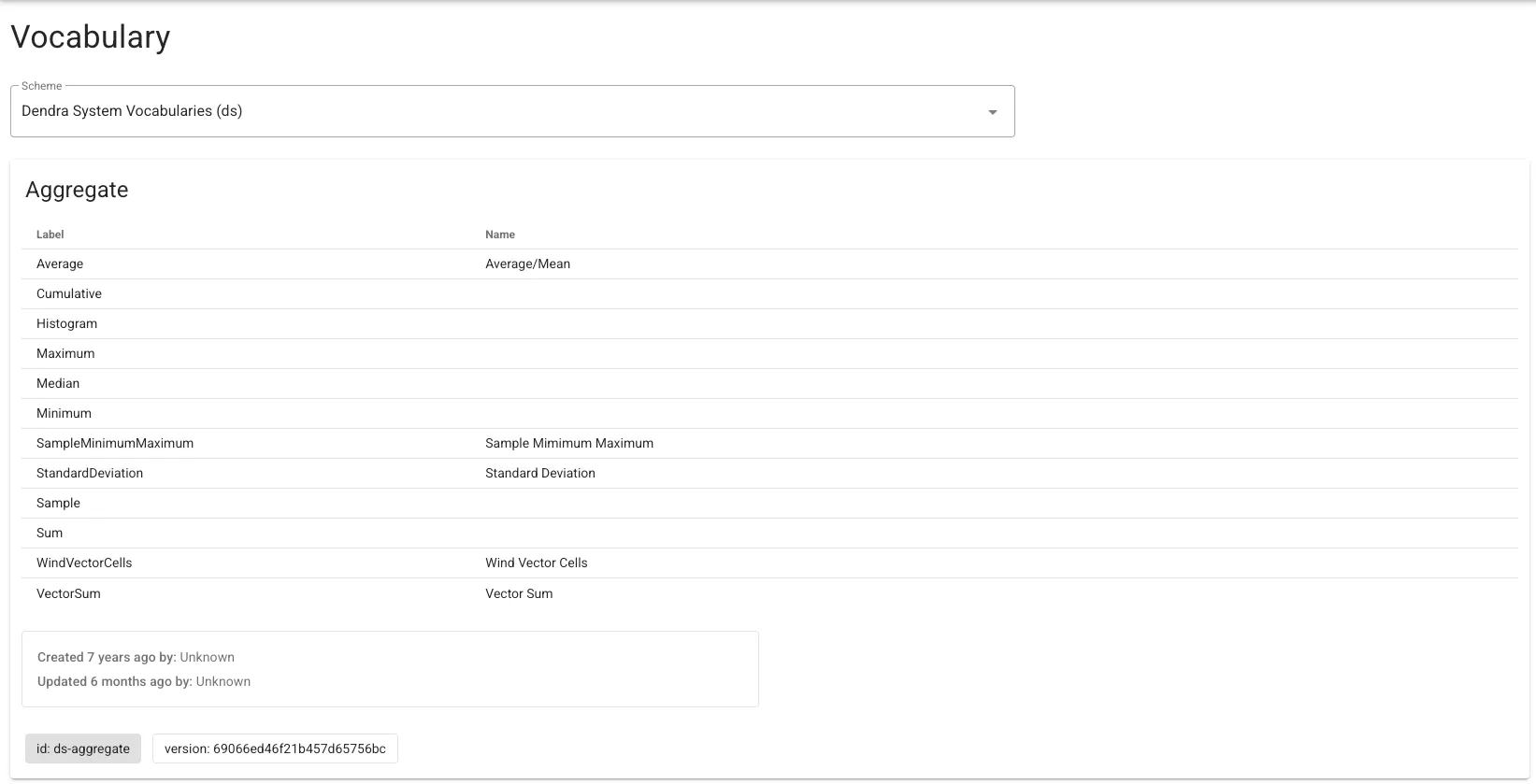
Dendra uses controlled vocabularies to help users find the data they are looking for.
This is critical for the Findable aspect of F.A.I.R. Without constraint on the vocabulary, a user could see Dissolved Oxygen from one organization,
but Oxygen, Dissolved from another, or Incoming Shortwave Radiation from one organization, but Pyranometer from another.
The Dendra team manages a set of system vocabularies internally. These are constantly updated by user request as measurements and sensors change. If an organization wishes to use an additional vocabulary, they can add it to their organization. Currently the ODM 1.1 Variable and Medium vocabularies are used as well by default.
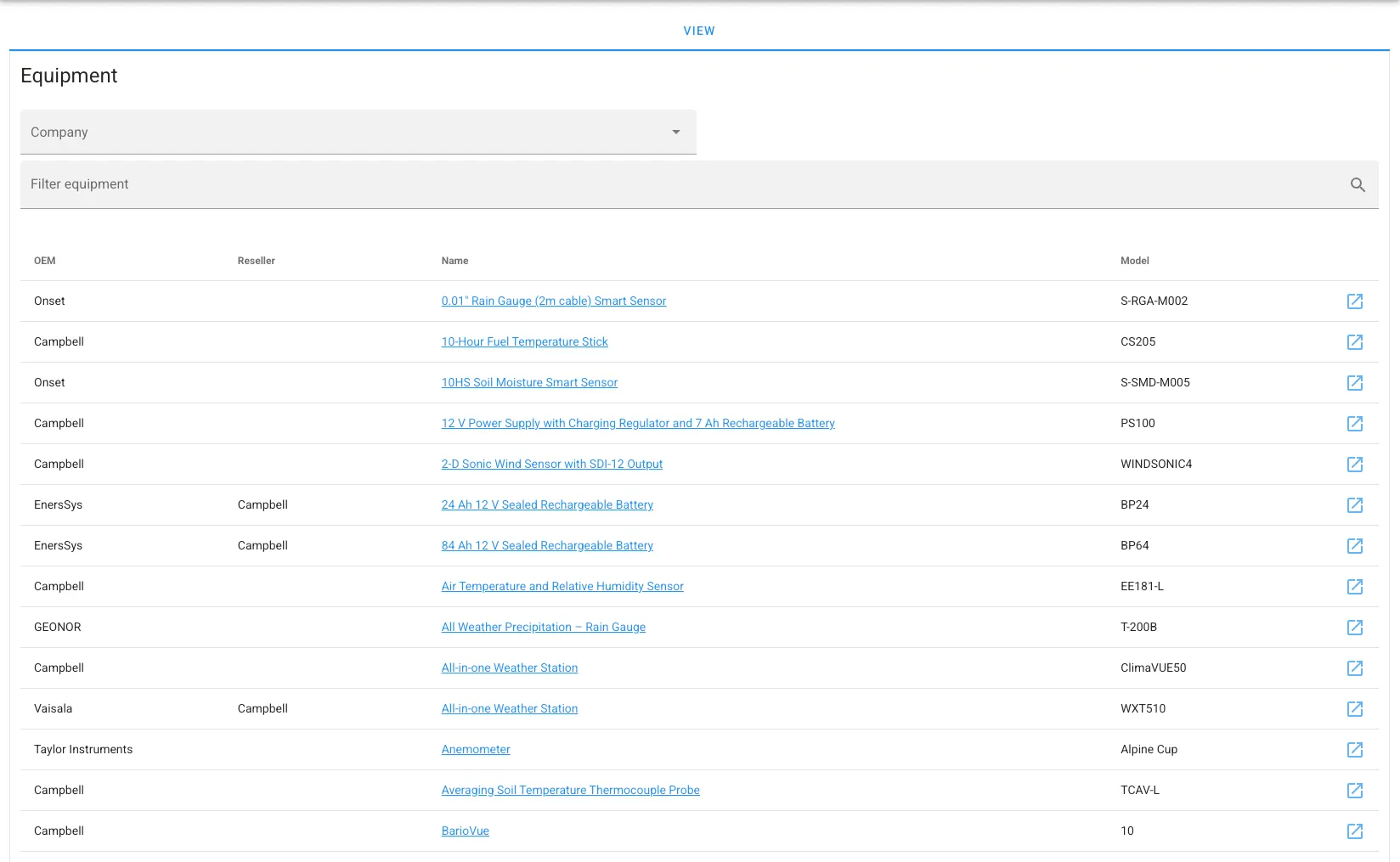
Dendra keeps metadata on the sensors (ThingTypes) used by datastreams. This is kept in a single library available to all users. Users may submit new instruments as they find them and the Dendra team will incorporate them into the library.
Each ThingType has an image, a link to the manufacturer’s web page (if still active), and the user’s manual stored as a PDF, since companies go out of business, change websites, or simply drop documentation for older equipment.
ThingType not only provides the user with useful documentation, it can be used to build a new station, since Dendra keeps track of the metadata a ThingType creates.
ThingType Example
An R.M. Young Mechanical Anemometer 05108 creates two datastreams: Wind Speed and Wind Direction.
Where possible, we record the tolerance limits of the equipment as well, for use with automated alerts when a sensor performs out of spec.
| Role | Access |
|---|
| Admin | All functions of curator. Can assign/remove membership to a Curator. |
| Curator | Allows create and update of stations, datastreams, and annotations. All inactive and hidden objects are visible. All UI elements available. Can assign/remove membership to a user. |
| Member | Can create and authorize annotations. Access to stations and datastreams depending on Access Levels (see below). |
| Public | Viewing access only based on access levels. Does not have to be logged in. |
Dendra uses a hierarchy of access based on the following inheritance structure:
- Organization
- Station
- Datastream
So, a datastream will inherit its access levels from the station. The station will inherit from the organization. These access levels can be overridden. A station could override the organization, but then a datastream will inherit those overridden levels.
| Code | Access |
|---|
0 | No access. |
1 | View metadata only. No graphing or downloads. |
2 | View metadata, Graphing allowed. No downloads. |
3 | View metadata, graphing, and downloads allowed. |
As a real-time system, Dendra provides a status page for an organization’s stations and sends notifications (email, slack, or text) when a station goes down (see Figure 1), so field technicians can be aware and respond to issues surrounding station health.
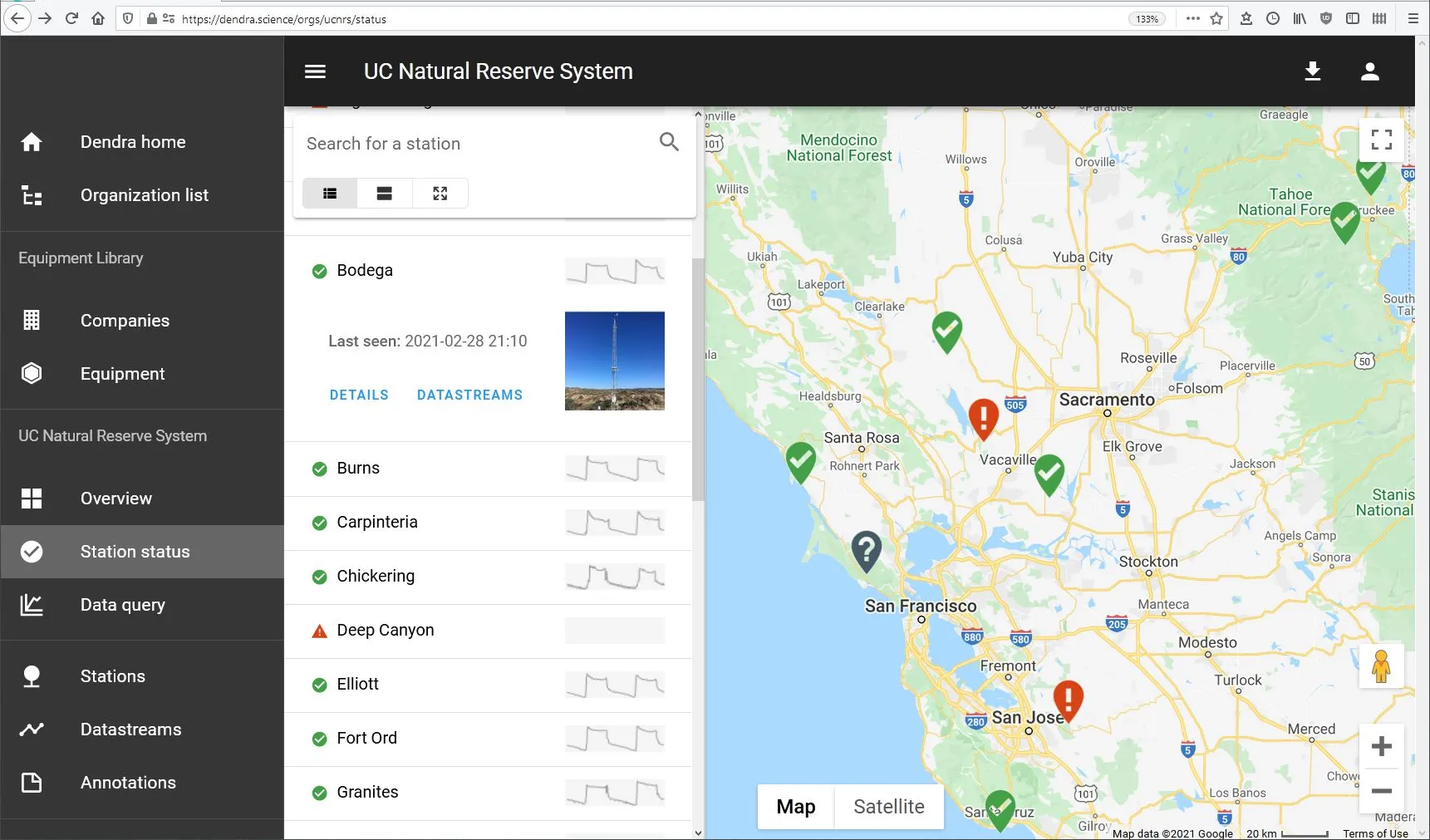 Figure 1: Sparc-lines of logger voltage are displayed as a diagnostic of station health.
See Navigation - Station Status for more details.