Management Navigation
The Dendra Management interface is where field technicians, data curators, or admins can perform functions needed to
- Onboard new stations and sensors
- Modify datastreams
- Manage a sensor observatory day-to-day.
How to Navigate to the Management Interface
Section titled “How to Navigate to the Management Interface”-
Navigate to Dendra with the link below or by clicking
Start Using Dendraon the main website. -
Log in.
-
On
Start Using Dendralanding page, clickManage Metadata and Setup.
If already logged in, you can also navigate to the Manage landing page directly with the URL below.
All functions can be accessed in the sidebar on the left side of the page (Figure 1). These tools are organized into three main categories:
ManageToolsSystem
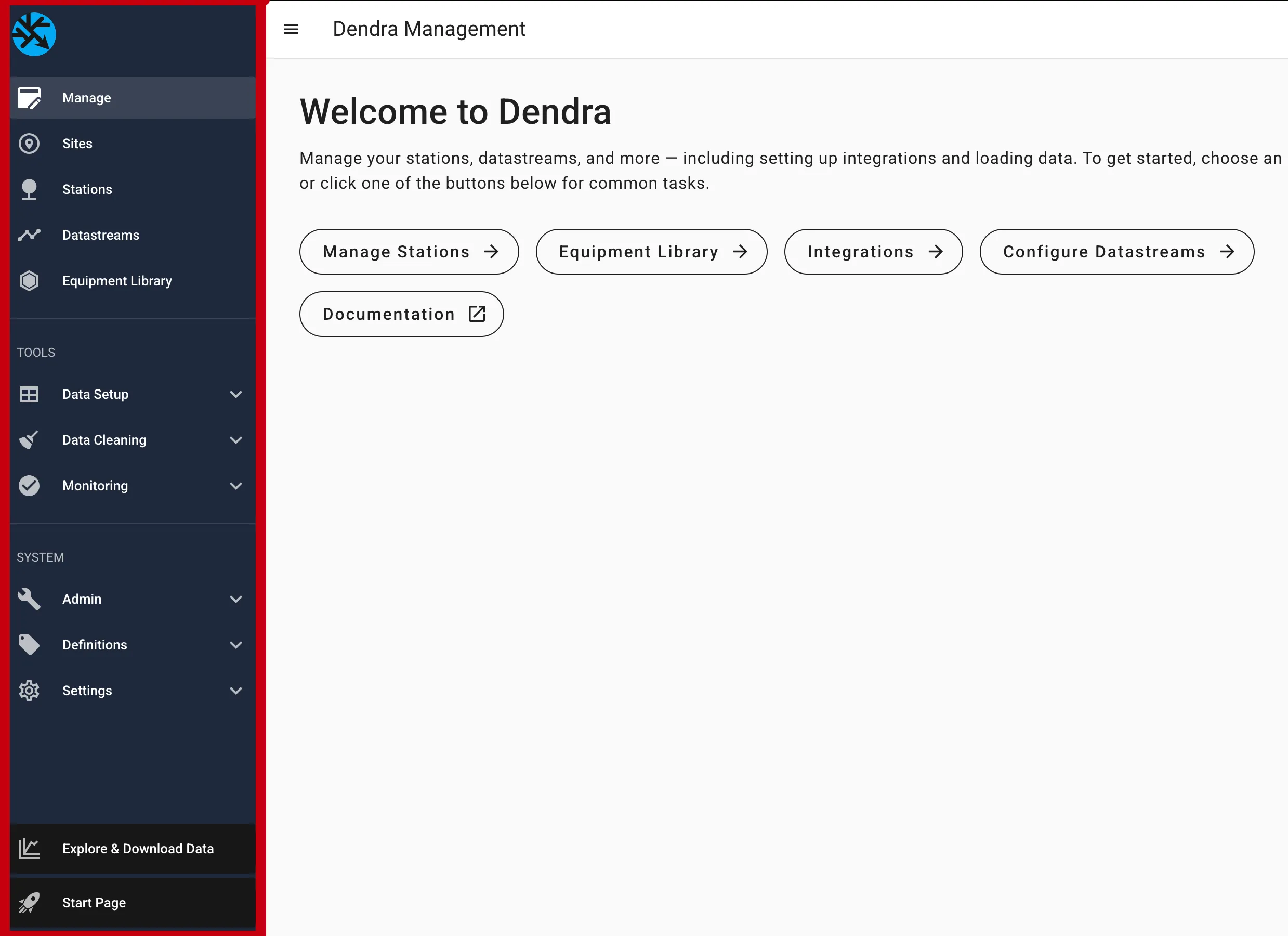 Figure 1: Landing page and sidebar after opening the Manage app.
Manage
Section titled “Manage”Landing Page
Section titled “Landing Page”The Manage landing page serves as a starting point for accessing Dendra’s management tooling. It offers a list of some common tasks performed by field technicians and managers:
Manage StationsEquipment LibraryIntegrationsConfigure Datastreams- A link to these docs
Sites, Stations, and Datastreams
Section titled “Sites, Stations, and Datastreams”These pages are where field technicians and managers can view, create, and configure existing sites, stations, and datastreams.
See Set Up a Station for instructions on how to create and configure a new station.
See Configure Datastreams for instructions on how to create and configure datastreams.
Equipment Library
Section titled “Equipment Library”Dendra has an equipment library available to all Dendra users (see Features - Equipment Library).
When you create a station or datastream, you can select an existing equipment from the shared library to improve the accuracy of your metadata.
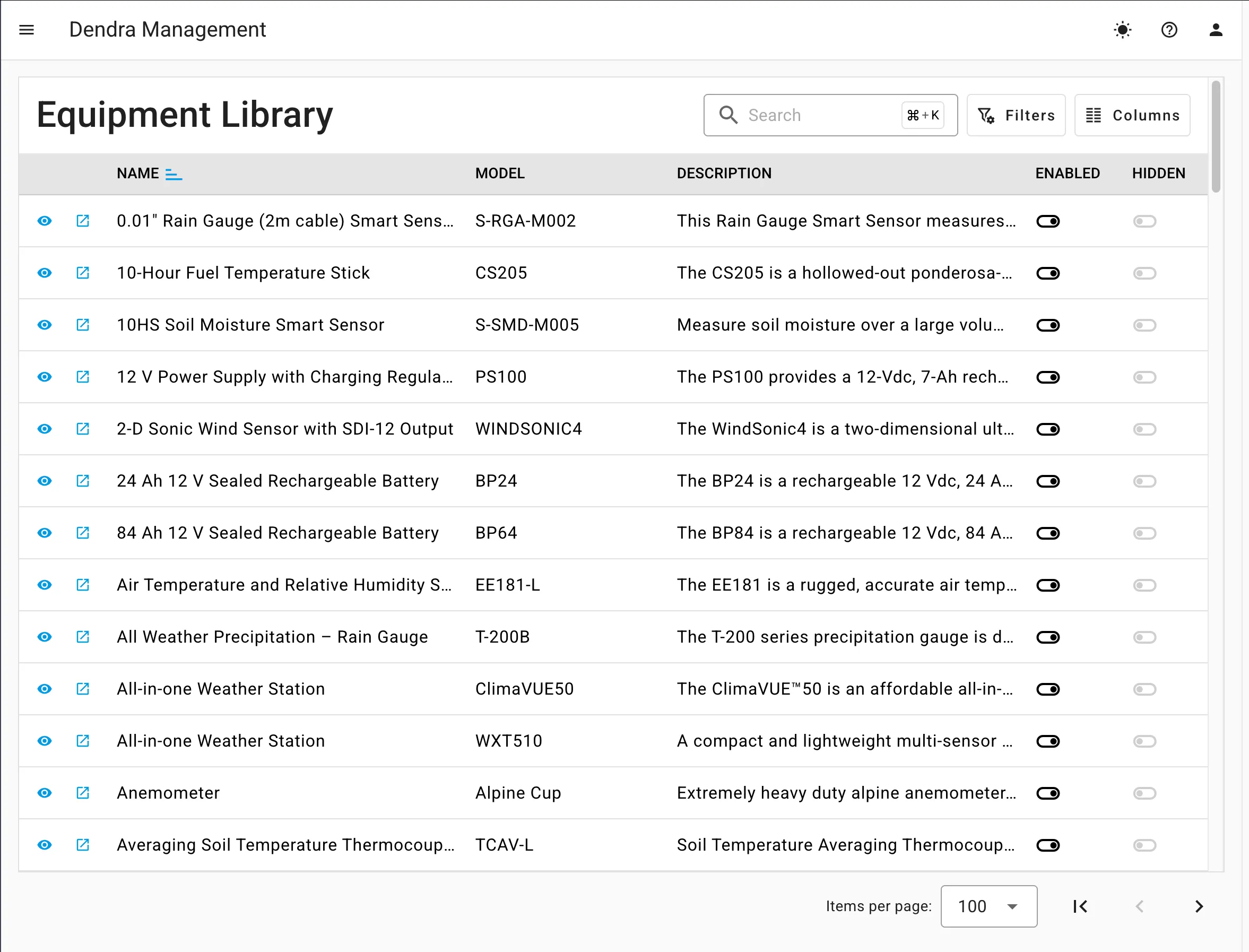 Figure 2: Manage - Equipment Library
Data Setup
Section titled “Data Setup”Data Setup is for getting data into the system and for mapping loaded tables to datastreams.
| Sidebar | Function |
|---|---|
Configure Integrations | See How to Manage - Configure Integrations. |
Configure Datastreams | See How to Manage - Configure Datastreams. |
Import Data Files | See How to Manage - Import Data Files. |
Publish Changes | [forthcoming] |
Data Cleaning
Section titled “Data Cleaning”Data Cleaning tools help field technicians and data curators flag and correct corrupted datasets.
| Sidebar | Function |
|---|---|
Alerts | Create and configure alerts that signal when a station has gone offline. |
Annotations | Create annotations to correct or omit data (see Core Concepts - Cleaning Data). |
Reports | [forthcoming] |
Monitoring
Section titled “Monitoring”Monitoring is for organization admins and curators to troubleshoot data integrations, view alerts, and set up alert rules.
| Sidebar | Function |
|---|---|
Integrations | Troubleshoot data integrations and their pipelines. See Monitor Integrations. |
Alerts | View and acknowledge open alerts. |
Rules | Create and configure alert rules. |
Reports | [forthcoming] |
Setup | [forthcoming] |
Playground
Section titled “Playground”Playground is for testing and experimenting with Dendra’s features.
| Sidebar | Function |
|---|---|
Unit Conversion | Test unit conversions. See Units. |
System
Section titled “System”Admin is for managing companies, organizations, memberships, and related system entities. Some remain forthcoming.
| Sidebar | Function |
|---|---|
Companies | Create and edit manufacturer and vendor companies referenced in the equipment library. |
Organizations | Create and edit organizations. |
Memberships | Assign membership roles and approve organization join requests (see Features - Roles and Access Control). |
Groups | [forthcoming] |
People | [forthcoming] |
Places | [forthcoming] |
Definitions
Section titled “Definitions”Definitions is for managing controlled vocabularies.
| Sidebar | Function |
|---|---|
Code Library | [forthcoming] |
Vocabulary | Create and edit controlled vocabularies publicly available to all Dendra users (see Features - Controlled Vocabulary). |
Settings
Section titled “Settings”Settings allows you to manage API credentials and notification preferences.
| Sidebar | Function |
|---|---|
Access Keys | Generate user API keys and organization API keys for accessing the API and pushing data to station webhooks. See Access Keys. |
Notifications | Set up your notification contact info, and configure account and organization notification preferences. |